Table of Contents
Apple announced the MacBook Pro M5 Pro and M5 Max on, March 4, 2026, and for anyone working in AI — or anyone who has been waiting for a reason to bring their AI workflows off the cloud — this is the announcement they have been waiting for. Pre-orders open today, with units shipping March 11.
At JAMD Technologies, we work with clients every day on private AI deployments, automation systems, and LLM integrations. When a consumer laptop can now run models that, two years ago, required a server room, that changes the conversation about what is possible and who can afford to do it.
What the M5 Max Actually Is
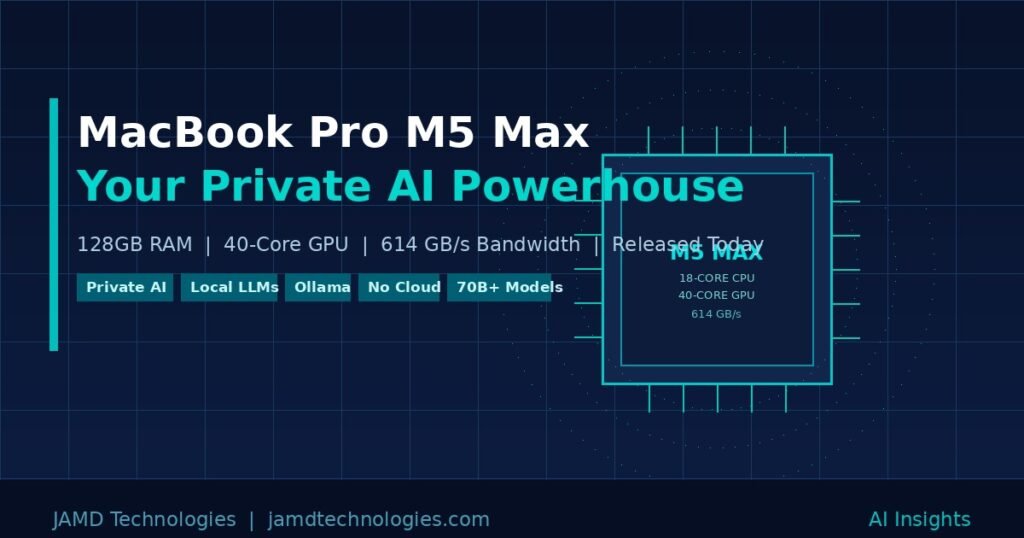
The M5 Max is not a spec bump. Apple built it on a new Fusion Architecture that combines two dies into a single system on a chip — a design approach previously reserved for enterprise silicon. The result is a chip with an 18-core CPU featuring six brand-new “super cores” (Apple’s term for their highest-performing CPU cores ever) alongside 12 all-new performance cores. There are no efficiency cores. Every core in the M5 Max is built for sustained, demanding work.
The GPU scales to 40 cores, and here is the number that matters most for AI: unified memory bandwidth hits 614 GB/s on the top configuration. To put that in perspective, the M4 Max ran at 546 GB/s. That bandwidth figure is what determines how fast a model can move data through the chip during inference, and it is the single most important number for anyone running large language models locally.
The maxed-out 16-inch MacBook Pro with M5 Max ships with 128GB of unified memory and up to 8TB of SSD storage running at speeds up to 14.5 GB/s — twice the read and write performance of the previous generation. Wi-Fi 7 and Bluetooth 6 arrive via Apple’s new N1 networking chip, and the machine still gets up to 22 hours of battery life.
This is a workstation-class machine in a laptop chassis.
What “Unified Memory” Means for AI (and Why It Matters)
On a traditional Windows PC, your GPU has dedicated VRAM — typically 8 to 24GB. Any AI model you want to run must fit entirely within that VRAM, or it will either refuse to load or crawl at 2 to 3 tokens per second while spilling to system RAM. A $2,000 RTX 4090 gives you 24GB. A $1,500 RTX 5090 gives you 32GB.
Apple’s unified memory architecture is fundamentally different. The CPU, GPU, and Neural Engine all share the same memory pool. On the M5 Max with 128GB, that means your GPU has access to all 128GB — not 24GB, not 48GB, but the full pool. There is no VRAM wall. There is no copying penalty between system and GPU memory. The model loads, the GPU sees it all, and inference runs.
This is why the MacBook Pro M5 Max is a legitimate AI workstation in a way that Windows laptops simply are not at any comparable price.
What You Can Actually Run Locally
With 128GB of unified memory and 614 GB/s of bandwidth, here is what becomes practical on this machine today, using tools like Ollama, LM Studio, or Apple’s own MLX framework:
70-billion parameter models, comfortably. Models like Llama 3 70B, Qwen 2.5 72B, and DeepSeek R1 70B run at usable speeds — 30 to 45 tokens per second with MLX’s optimized backend. That is responsive enough for real work: coding assistance, document drafting, analysis, and reasoning tasks. These are not toy models. Llama 3 70B competes with GPT-4 on many benchmarks.
Models up to 200 billion parameters. Apple itself noted in the M4 Max announcement that 128GB “allows developers to easily interact with LLMs that have nearly 200 billion parameters.” The M5 Max runs those same models faster, with higher bandwidth. Mixtral 8x22B and similar mixture-of-experts architectures become practical.
Multiple models simultaneously. With 128GB, you are not choosing between a coding model and a general-purpose model. You can keep both loaded. You can run a RAG pipeline alongside a generative model. You can serve multiple inference endpoints from the same machine.
Vision and multimodal models. Models that handle both text and images — like LLaVA or Qwen-VL — require substantial memory. On 128GB, they run without compromise.
Local embeddings at scale. For RAG (retrieval-augmented generation) systems — where the model answers questions grounded in your own documents — you need to generate vector embeddings for potentially thousands of documents. The M5 Max handles this at speeds that make real-time document indexing practical.
Image generation. Tools like Stable Diffusion XL and FLUX run locally. On 128GB with a 40-core GPU, generation times drop significantly compared to 32 or 48GB configurations.
The Private AI Angle
This is where things get genuinely important for businesses and professionals handling sensitive data.
When you run a model on ChatGPT, Claude, or Gemini, your prompts travel to a server you do not control. For most casual use, that is fine. For legal work, medical analysis, proprietary business intelligence, client data, or anything covered by NDA, it is often not fine at all.
A MacBook Pro M5 Max with 128GB running Llama 3 70B locally means:
- Your prompts never leave the machine.
- Your data never touches a third-party API.
- There is no usage log on a remote server.
- There are no per-token costs.
- The model works on a plane, in a secure facility, or anywhere with no internet connection.
For the first time, a laptop — not a server, not a custom build, not a six-figure GPU cluster — gives you this capability at a professional level. A solo consultant, a small law firm, a healthcare practice, or a field engineer can now deploy a serious private AI workflow on a single machine they carry in a bag.
The tooling to make this practical is mature. Ollama runs as a local server with an OpenAI-compatible API, meaning any application that talks to ChatGPT can be retargeted to your local model with a single configuration change. LM Studio offers a graphical interface for model management and chat. Apple’s MLX framework runs models natively on Apple Silicon with 20 to 30 percent better performance than alternative backends. Open WebUI provides a full ChatGPT-like browser interface against your local Ollama server. The hard part is not the software — it is having hardware capable enough to run the models you actually need. The M5 Max solves that.
AI Performance: 4x Over the Previous Generation
Apple is claiming up to 4x AI performance compared to the M4 generation, and the architecture supports that claim. The M5 Max puts a Neural Accelerator inside each GPU core — a first — and pairs it with the higher memory bandwidth and the new Fusion Architecture. The Neural Engine itself processes 38 trillion operations per second. That is not a theoretical ceiling; it is the sustained throughput available to on-device model inference.
Apple Intelligence, Apple’s built-in AI layer in macOS, also runs locally and benefits from this hardware. But Apple Intelligence is a narrow set of capabilities. The real story is what third-party tools can do when given this level of hardware.
Who Should Be Paying Attention
If you are a developer, researcher, consultant, or business professional who works with sensitive data and has been using cloud AI models while wishing for a private alternative, the MacBook Pro M5 Max with 128GB is the machine to evaluate seriously.
If you have been building RAG pipelines, AI-assisted workflows, or LLM integrations for clients, this machine lets you prototype, test, and demonstrate entirely locally — no API keys, no costs, no data exposure.
If you are an existing Mac user running local models on 24 or 36GB, the jump to 128GB is not incremental. It is the difference between running a 13B model as your workhorse and running a 70B model. The quality difference between those two is substantial for complex reasoning, nuanced writing, and technical tasks.
Pricing and Availability
The 14-inch MacBook Pro with M5 Max starts at $3,599. The 16-inch model starts at $3,899. The configuration with 128GB of unified memory and an 8TB SSD sits at the top of the lineup. Pre-orders open today at apple.com/store, with units arriving March 11. Both space black and silver finishes are available.
For context: an NVIDIA RTX 5090 GPU alone costs around $2,000, gives you 32GB of VRAM, requires a full desktop system, and draws 500W under load. The M5 Max laptop gives you 128GB of effective “VRAM,” fits in a bag, runs on battery for 22 hours, and draws a fraction of the power.
The Bottom Line
The MacBook Pro M5 Max with 128GB is not just a fast laptop. It is the first consumer laptop that functions as a serious private AI workstation — capable of running 70B+ parameter models locally, sustaining real-world inference speeds, and doing it all without sending a single byte of your data to a third party.
For anyone building or deploying AI systems for clients who care about data privacy, this changes the baseline for what is possible without enterprise infrastructure.
At JAMD Technologies, we help businesses integrate AI tools into their workflows in ways that are practical, secure, and sustainable. If you are evaluating local AI deployments or want to understand what the right hardware and model stack looks like for your use case, reach out — we would be glad to walk through it with you.
Contact JAMD Technologies: jamdtechnologies.com
Frequently Asked Questions
What models can the MacBook Pro M5 Max with 128GB run locally?
With 128GB of unified memory, you can run quantized models up to approximately 200 billion parameters, and 70B models like Llama 3 70B or Qwen 2.5 72B comfortably at 30 to 45 tokens per second using Apple’s MLX framework or Ollama.
How does 128GB unified memory compare to GPU VRAM for AI?
Unlike dedicated GPU VRAM — which tops out at 24 to 48GB on consumer cards — Apple’s unified memory is shared between the CPU, GPU, and Neural Engine. The full 128GB is available for model inference, eliminating the VRAM bottleneck that limits Windows-based AI laptops.
Does running AI locally mean my data stays private?
Yes. When running models locally with tools like Ollama or LM Studio, your prompts and data never leave your machine. There is no third-party server, no usage log, and no API to intercept traffic.
Is the M5 Max worth it over the M5 Pro for AI work?
For serious local AI use, yes. The M5 Pro tops out at 64GB of unified memory and 307GB/s bandwidth. The M5 Max goes to 128GB and 614GB/s. That difference determines whether you can run 70B models at usable speeds or are limited to 13 to 32B models.