Table of Contents
Introduction
If you have ever looked at tools like Zapier or Make.com and thought “I love what this does, but I hate what it costs,” you are not alone. Subscription fees for cloud automation platforms add up fast — especially once your workflows start firing hundreds or thousands of times per month.
There is a better path for small businesses that want serious automation without a serious monthly bill: run n8n on a Mac Mini sitting in your office or server closet. This guide will walk you through what that looks like, what it costs, what it can do beyond just automation, and — critically — how to keep it reliable enough that you can actually count on it.
What Is n8n?
n8n (pronounced “n-eight-n”) is an open-source workflow automation platform, similar in concept to Zapier or Make. You build visual workflows — called “flows” — that connect your apps and services together. When a trigger fires (a new invoice, an incoming email, a form submission), n8n runs your logic automatically.
What makes n8n different is that you can self-host it. That means your data stays on your own hardware, your workflows are not metered by a cloud provider, and your monthly cost is essentially zero beyond the hardware you already own.
n8n has native integrations with hundreds of services — Gmail, HubSpot, QuickBooks, Slack, Airtable, Stripe, and many more — plus full support for calling any REST API and running AI/LLM workflows using models like OpenAI’s GPT or locally-hosted models.
Why a Mac Mini Makes Such a Good Server
The Mac Mini is one of the most underrated small business servers available. Here is why it works so well for running n8n:
It is always-on and silent. A Mac Mini consumes roughly 6 to 20 watts under normal load — less than a light bulb. It runs quietly and generates very little heat, making it suitable for an office desk, a back room, or a network closet.
It is genuinely powerful. Even the base M2 Mac Mini has more than enough processing power to handle n8n, run local AI models, transcribe audio, or serve multiple applications simultaneously. The M4 generation pushed that even further.
It is reliable hardware. Apple builds Mac Minis to run continuously. Unlike consumer NAS devices or budget mini-PCs, a Mac Mini is a mature, stable platform with a long service life.
It runs macOS. That means you get access to all the standard macOS server software, easy remote access via Screen Sharing, and a familiar environment if your team is already in the Apple ecosystem.
It is cost-effective. A base M2 Mac Mini starts around $599. As you will see in the cost comparison below, it pays for itself quickly.
The Cost Comparison: Self-Hosted vs. Cloud
Here is a realistic monthly cost breakdown for a small business running moderate automation (roughly 10,000 to 50,000 workflow executions per month):
| n8n Cloud (Starter) | n8n Cloud (Pro) | Mac Mini Self-Hosted | |
|---|---|---|---|
| Monthly platform fee | $20 | $50 | $0 |
| Executions included | 2,500 | 10,000 | Unlimited |
| Overage fees | Yes | Yes | None |
| Data stays on your hardware | No | No | Yes |
| Hardware cost (amortized over 4 years) | N/A | N/A | ~$13/mo |
| Estimated power cost | N/A | N/A | ~$2/mo |
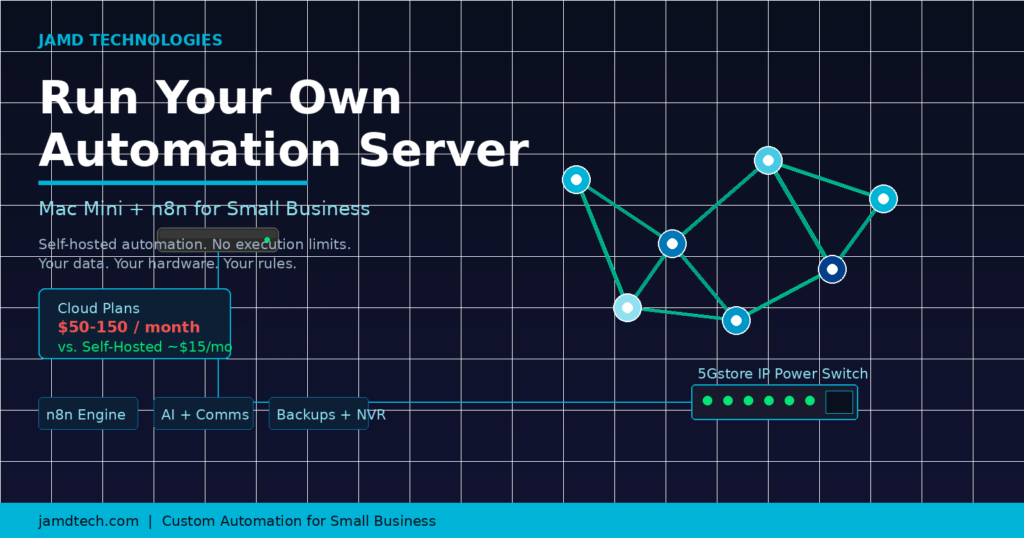
| Estimated total/month | $20-$60+ | $50-$150+ | ~$15 |
For businesses with growing workflow volume, the self-hosted Mac Mini pays for itself in the first two to four months — and keeps saving money every month after that.
What n8n Can Do for Your Business
Business Automation: CRM, Invoicing, and Email
This is where n8n earns its keep for most small businesses. Some examples of what you can automate with a self-hosted n8n instance:
- Lead capture to CRM. When a contact form is submitted on your website, n8n automatically creates a contact in HubSpot or your CRM of choice, sends a welcome email, and notifies your sales team in Slack.
- Invoice follow-ups. When an invoice goes overdue in QuickBooks or FreshBooks, n8n sends a personalized reminder email and logs the attempt.
- New customer onboarding. When a deal closes, n8n triggers a series of onboarding emails, creates a folder in Google Drive, and schedules an intro call in your calendar.
- Support ticket routing. Incoming emails to your support address get parsed, categorized, and routed to the right team member automatically.
These are the kinds of tasks that eat hours of staff time every week. Once automated, they just happen — correctly, every time.
AI and LLM Workflows
n8n has first-class support for AI workflows, and this is where the Mac Mini’s local processing power becomes a real advantage. You can connect n8n to OpenAI or Anthropic’s APIs to add intelligence to your automations:
- Summarize incoming emails before they hit your inbox, so you can triage faster.
- Classify support tickets by urgency and topic using AI, without a human reading every one.
- Draft responses to common customer inquiries for a human to review and send.
- Transcribe and summarize recorded sales or support calls automatically (more on that below).
- Analyze documents such as contracts or proposals and extract key fields into a spreadsheet.
If you want to keep data fully on-premises, the Mac Mini M-series chips can also run lightweight local models via tools like Ollama — giving you AI capabilities without sending any data to a third-party provider.
The One Mac Rule
Here is the most important piece of advice in this entire post: do not put everything on one Mac Mini.
A single Mac Mini running n8n is a workhorse. A single Mac Mini running n8n, plus a video camera server, plus AI transcription, plus network backups, plus your company file server is a ticking clock. When one resource-intensive task spikes — say, a large overnight backup or a batch of audio transcriptions — it can starve your automation workflows of memory or CPU and cause failures at the worst time.
The One Mac Rule: give each major workload its own machine.
This is not expensive advice. Mac Minis start at $599. Adding a second or third one for specific tasks is far cheaper than the lost time and business impact of an overloaded, flaky automation server.
A Practical Starter Stack: Three Mac Minis
For a small business ready to do this right, here is a logical three-machine setup:
Mac Mini 1 — The Automation Engine
This machine runs n8n and nothing else of consequence. It handles all your business workflows: CRM sync, email automation, invoice follow-ups, API integrations. Keeping this machine lean means your automations fire reliably, 24/7.
Mac Mini 2 — The AI and Communications Processor
This machine handles anything compute-intensive: transcribing recorded phone calls to text (using Whisper or similar), running local LLM inference via Ollama, processing documents with AI, and serving as a general-purpose task processor for heavier n8n workflows that you offload from Machine 1 via API calls.
Mac Mini 3 — The Infrastructure Server
This machine handles the unglamorous but essential work: network backups (Time Machine server for employee Macs, off-site sync to Backblaze), security camera recording and storage (using tools like Frigate or SecuritySpy), and any other always-on server tasks your business needs. Think of this as your facilities machine.
Three Mac Minis, three distinct jobs. Total investment: under $2,000. Total monthly cost to operate: under $50 in power and internet.
Keeping It Reliable: The 5Gstore IP Switch
Even the best hardware occasionally freezes or becomes unresponsive. For a cloud service, their ops team handles this. For your self-hosted setup, you need a plan.
The answer is a smart IP power switch from 5Gstore. These devices connect to your network and give you remote control over the power to each outlet — including the ability to automatically reboot any device that stops responding.
Set up a simple watchdog monitor that pings each Mac Mini periodically. If a Mac Mini stops responding, the IP switch cuts and restores power to that outlet automatically — rebooting the machine without any human intervention. Combined with macOS’s built-in setting to restart automatically after a power failure, your Mac Mini comes back up and resumes operations on its own.
This is the difference between a self-hosted setup that requires babysitting and one that genuinely runs itself. A $100-200 IP switch protecting $1,800 worth of Mac Minis (and the business workflows running on them) is one of the best infrastructure investments you can make.
Browse 5Gstore’s IP switches and remote power management options here.
The Honest Pros and Cons
Self-Hosted Mac Mini + n8n
Pros:
- Significant cost savings at scale (often 70-90% less than cloud plans)
- No execution limits or overage fees
- Your data never leaves your building
- Full control over updates, configuration, and integrations
- Hardware can serve multiple roles across separate machines
- One-time hardware investment, not an ongoing subscription
Cons:
- Initial setup requires technical comfort (or a consultant to do it for you)
- You are responsible for updates and security
- No 24/7 cloud support team — though n8n has an active community forum
- If your office loses power or internet, your automations pause (a UPS and cellular backup router help here)
Hosted n8n Cloud (or Zapier / Make)
Pros:
- Zero setup, up and running in minutes
- Managed updates, security, and uptime
- Accessible from anywhere without VPN
Cons:
- Monthly fees that scale with usage
- Execution caps that can throttle your workflows at busy times
- Your workflow data and credentials live on someone else’s servers
- Vendor lock-in — if pricing changes, you are stuck
Is This Right for Your Business?
Self-hosting n8n on a Mac Mini is an excellent fit if:
- You are running moderate to high workflow volume and cloud fees are becoming painful
- You handle sensitive customer data and want it on your own hardware
- You have a technical person on staff or a trusted IT consultant to handle initial setup
- You are willing to invest a few hundred to a couple thousand dollars upfront to eliminate ongoing SaaS costs
It may not be the right fit if:
- You need to be up and running today with zero configuration
- You have no technical resources and no interest in engaging a consultant
- Your automation needs are very lightweight and a free-tier cloud plan covers them easily
How JAMD Technologies Can Help
Setting up a self-hosted n8n stack the right way — secure, monitored, backed up, and integrated with your existing business tools — is not a weekend project for most small business owners. That is exactly what JAMD Technologies does.
We design and deploy custom automation infrastructure for small businesses: selecting the right hardware, configuring n8n, building your initial workflows, setting up the watchdog monitoring and IP power management, and documenting everything so your team can maintain it. We also build custom integrations when the off-the-shelf connectors do not quite fit your process.
If you have read this post and thought “I want this but I do not want to build it myself,” that is the right instinct — and we would love to talk.
Contact JAMD Technologies to start the conversation.
FAQ
Do I need a static IP address to run n8n at my office?
Not necessarily. Many businesses use a dynamic DNS service (like Cloudflare Tunnel or DuckDNS) to give their Mac Mini a consistent address even if their ISP changes their IP. A static IP is cleaner if your ISP offers it affordably, but it is not a hard requirement.
Can n8n connect to the software my business already uses?
n8n has built-in integrations for hundreds of popular business tools, and it can connect to virtually anything with a REST API. If you use a niche platform, chances are good there is a path to connect it.
What happens to my automations if the Mac Mini needs to be restarted for an update?
n8n is configured to start automatically when macOS boots. Most restarts result in only a minute or two of downtime. For critical workflows, you can schedule restarts during off-hours.
Is it hard to update n8n on a self-hosted setup?
Updates are straightforward if you install n8n via Docker (the recommended approach). A single command pulls the latest version. Many businesses update monthly during a scheduled maintenance window.
What about security? Is it safe to expose n8n to the internet?
Self-hosted n8n should always sit behind authentication and ideally behind a VPN or Cloudflare Tunnel rather than being exposed directly on a public port. JAMD can help you configure this correctly from the start.
Can I use AI features in n8n without sending data to OpenAI?
Yes. With a local model running on your second Mac Mini via Ollama, you can keep all AI processing entirely on-premises. n8n supports local LLM endpoints out of the box.