Table of Contents
A startup founder we spoke with last year had budgeted $120,000 to build “an app.” Six months in, she was out of money and had a half-finished iOS prototype, no Android version, and a roadmap that quietly assumed another $90,000 just to catch up. The technical decision that drove most of that overrun wasn’t features or design — it was made on day one, in a single sentence: “We’ll go native.”
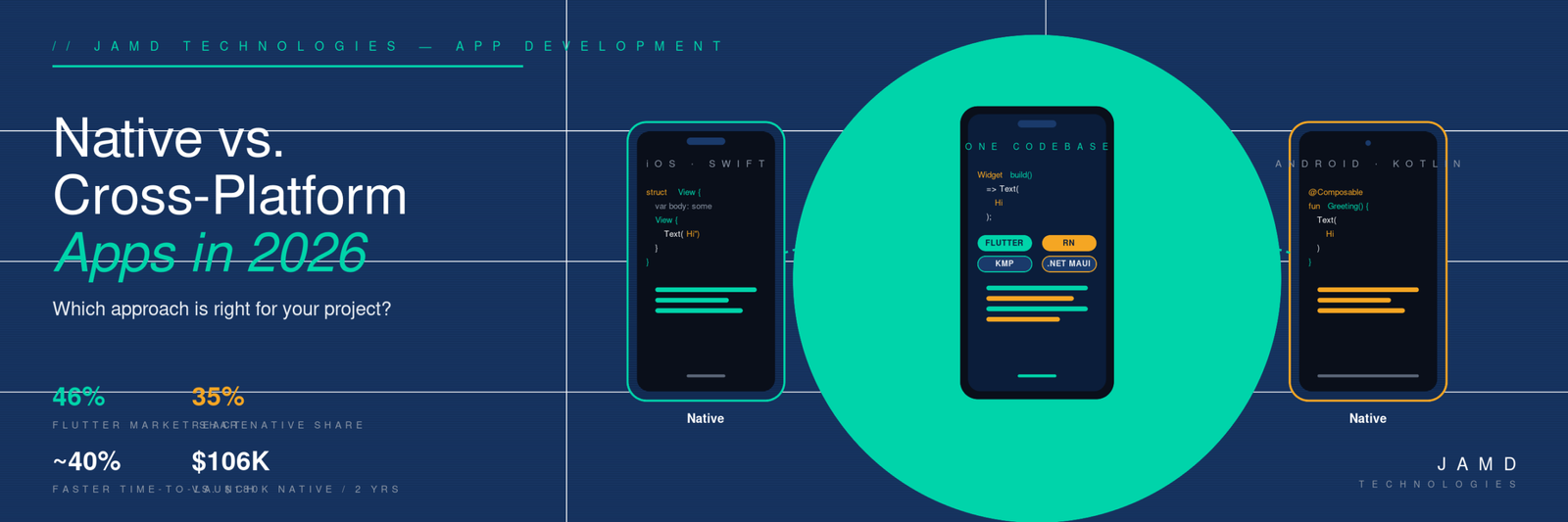
That sentence isn’t wrong. It’s just incomplete. Going native is a defensible choice for some projects and a budget-killer for others, and the same is true of every cross-platform option. The tools have changed dramatically over the last three years, and the right answer in 2024 isn’t necessarily the right answer in 2026. According to recent industry data, cross-platform frameworks now dominate the mobile development market — Flutter alone holds roughly 46% market share, with React Native at 35% — but native development hasn’t gone anywhere, and new contenders like Kotlin Multiplatform are quietly winning over enterprise teams.
So how do you actually decide? Below is a practical 2026 breakdown — what each approach looks like today, where the trade-offs really land, and how to match the right tool to the right project.
What “Native” and “Cross-Platform” Actually Mean in 2026
Native development means building two separate apps using the platforms’ first-party tools: Swift (or SwiftUI) for iOS, Kotlin (or Jetpack Compose) for Android. Two codebases, two teams or one team with two specialties, two release pipelines.
Cross-platform development means writing one codebase that runs on both. The major options in 2026 are:
- Flutter — Google’s framework, written in Dart, renders its own UI with the Impeller engine. Compiles ahead-of-time to native ARM code.
- React Native — Meta’s framework, written in JavaScript or TypeScript. Renders real native UI components. The 2026 version runs on the New Architecture (Fabric + JSI + Hermes) by default.
- Kotlin Multiplatform (KMP) — JetBrains’ approach, where business logic is shared in Kotlin and the UI is either native or shared via Compose Multiplatform.
- .NET MAUI — Microsoft’s framework for C# developers. Targets iOS, Android, macOS, and Windows from one codebase.
- Progressive Web Apps (PWAs) — Not technically a “framework” but a deployment model. A web app that installs like an app, with offline support and push notifications.
Each one makes a different bet about what to share and what to keep platform-specific. That bet is the whole conversation.
The 2026 Performance Picture
Performance used to be the easy argument for native. In 2026 it’s a much closer race for typical business apps.
Real-world benchmarks now look something like this: native iOS and Android apps hit a steady 60+ FPS with around 20 MB of RAM and ~12% battery drain over a standardized test workload. Flutter clocks in at 59–60 FPS, ~25 MB, and ~14% battery. React Native (after the New Architecture migration) hits 53–56 FPS with ~30 MB and ~16% battery — close enough that most users can’t tell the difference.
The bigger 2026 story is what happened to React Native. With version 0.76 making the New Architecture the default and 0.82 retiring the old JavaScript bridge entirely, Fabric and JSI delivered measurable wins: cold start times cut by ~43%, rendering speeds up ~39%, memory usage down ~26%, and JavaScript-to-native communication accelerated by roughly 40x. Apps with heavy native module usage see up to 3x improvement in cross-thread call performance. The framework finally feels as stable as Flutter has for years.
For 95% of business apps — productivity tools, CRMs, marketplaces, content apps, dashboards — the cross-platform performance gap is invisible to end users. Where native still wins decisively is in the remaining 5%: high-end mobile gaming, real-time AR/VR, on-device machine learning with strict latency requirements, and apps that lean heavily on platform-specific features like advanced camera controls or low-level audio processing.
The Cost and Timeline Reality
If performance is roughly a wash for most apps, what’s left is cost and speed.
The numbers most consistently cited across 2026 industry analyses: cross-platform projects typically launch 30–40% faster and cost 30–40% less than building two separate native apps. One frequently quoted two-year total cost-of-ownership comparison puts cross-platform at around $106,000 versus $180,000 for native — for a roughly equivalent feature set covering both platforms.
A typical native MVP in 2026 runs $30,000–$80,000 for iOS and $35,000–$90,000 for Android, with maintenance adding another 10–20% of the development budget per year. Cross-platform compresses both numbers because there’s one codebase to build, one to test, one to maintain, and one team that owns it.
The hidden cost most decision-makers miss is the long tail. Native apps don’t just cost more upfront — every new feature, every iOS or Android release, every dependency upgrade has to be done twice. After three or four years, the cumulative gap between the two approaches usually dwarfs the initial savings.
When Native Still Makes Sense
There are still real reasons to go native, and they’re worth taking seriously.
- Performance-critical apps. If your app does heavy 3D rendering, complex video editing, real-time AR, or on-device ML inference at scale, native gives you direct access to Metal, CoreML, Vulkan, and the latest platform GPU APIs without an abstraction layer in the way.
- Deep platform integration. Widgets, Live Activities, App Clips, App Intents, complex Bluetooth/NFC workflows, CarPlay, watchOS, Wear OS, deep HealthKit integration — these features ship on the platform’s timeline, and cross-platform support always lags. If your product depends on the latest iOS or Android feature the week it launches, native is the safer bet.
- A single-platform audience. If your users are 95%+ on one platform (common in some B2B and consumer-vertical apps), the cross-platform tax may not pay back.
- A product that will live for a decade. Native codebases age more gracefully than cross-platform ones, because they’re not dependent on a third-party framework’s future. Flutter and React Native are both well-funded and stable, but neither is a platform you control.
When Cross-Platform Is the Smarter Move
For everything else — which is most projects — cross-platform now wins on the merits.
- You need both iOS and Android, on a real budget. A seed-stage startup with $150,000 to spend can ship a polished cross-platform MVP on both platforms or a half-built native app on one. The first is a viable business.
- Your app is mostly business logic and standard UI. Forms, lists, dashboards, content feeds, e-commerce flows, CRM front-ends — none of these benefit from native, and all of them benefit from one codebase.
- Your team already knows JavaScript or C#. React Native lets a web team ship mobile without hiring a separate iOS and Android crew. .NET MAUI does the same for shops invested in the Microsoft ecosystem.
- You need to iterate quickly. Hot reload in Flutter and React Native makes the inner development loop dramatically faster than Xcode or Android Studio cycles, especially for UI work.
The Rise of “Shared Core, Native UI”
The most interesting shift in 2026 is that the binary native-vs-cross-platform framing is starting to break down. A growing number of teams — including Forbes, McDonald’s, and H&M — are adopting Kotlin Multiplatform for what JetBrains calls “shared core, native UI”: business logic, data layers, and networking written once in Kotlin, but the user interface still built natively with SwiftUI on iOS and Jetpack Compose on Android.
This pattern keeps the parts users see (the UI, the platform feel) fully native while consolidating the parts they don’t (validation, API clients, caching, business rules) into a single shared codebase. Teams report 60–80% code sharing on logic with no compromise on UI quality. KMP adoption nearly tripled between 2024 and 2025, and Google now officially supports it for Android-iOS logic sharing. For larger products and longer-lived codebases, this is increasingly the default.
It’s a useful reminder: the choice isn’t always one bucket or the other. You can mix them.
A Quick Decision Framework
Three questions cut through most of the noise:
- Does your app need cutting-edge platform features or extreme performance? If yes, lean native. If no, lean cross-platform.
- Are you targeting one platform or two? If you only need iOS or only Android, native is often simpler. If you need both, the cross-platform math gets compelling fast.
- How long do you expect the app to live, and how often will it change? Short-lived or rapidly-iterating products favor cross-platform. Long-lived flagship products with heavy platform integration favor native — or a hybrid like KMP.
You can see this framework in action across our app portfolio, where we’ve shipped projects in Swift, Kotlin, Flutter, and PHP-backed PWA wrappers depending on what the use case actually called for. The framework choice was never the goal; the right user experience at a sustainable cost was.
Don’t Forget the Backend
One more piece often gets lost in the native-vs-cross-platform debate: regardless of which you pick, your app is only as good as the API it talks to. A beautifully built Flutter app on a slow, fragile PHP/MariaDB backend will feel slow and fragile. A solid backend with proper indexing, caching, and clean API design will make almost any frontend feel fast.
Cross-platform frameworks make the frontend cheaper, which means the relative weight of your backend investment goes up. Plan accordingly — and consider the web application layer as part of the same product, not a separate project.
Practical Takeaways
- Cross-platform performance has caught up for the vast majority of business apps. If you’re choosing native primarily on performance grounds, run a realistic benchmark first.
- Total cost of ownership over 2–3 years matters more than initial build cost. Cross-platform usually wins this number; native sometimes does for long-lived, platform-deep products.
- “Shared core, native UI” via Kotlin Multiplatform is a real third option in 2026 — especially for teams that already have native iOS and Android code they don’t want to throw away.
- PWAs aren’t dead. For internal tools, B2B utilities, and content apps where install friction matters more than App Store presence, they’re often the most cost-effective option.
- The framework decision is reversible — but only at a cost. Make it deliberately, with a clear-eyed view of the next three years, not just launch day.
Where JAMD Comes In
Choosing the right approach is a strategy problem before it’s a tooling problem, and the answer depends on your users, your team, your timeline, and your roadmap. We work with teams in both directions — sometimes nudging them toward cross-platform when they assumed they needed native, sometimes the reverse — and we ship in whichever stack the project actually warrants. You can read more about how we approach app development and the kinds of projects we’ve taken on.
Frequently Asked Questions
Is Flutter better than React Native in 2026?
Neither framework is universally “better” — it depends on your team and project. Flutter (~46% market share) leads on raw rendering performance, hot reload speed, and consistent UI across platforms thanks to its own rendering engine. React Native (~35% market share) wins on ecosystem breadth, smaller binary sizes, and easier onboarding for teams that already know JavaScript or TypeScript. After the New Architecture (Fabric + JSI) became the default in React Native 0.76, the performance gap narrowed considerably. For most business apps, either is a defensible choice.
Which is cheaper, native or cross-platform app development?
Cross-platform is consistently cheaper for projects that need both iOS and Android. Industry data from 2026 puts the two-year total cost of ownership at roughly $106,000 for a cross-platform app versus $180,000 for two native apps with comparable features. The savings come from one codebase, one team, and one maintenance pipeline rather than two of each. Native is only cheaper when you legitimately only need one platform, or when the app’s complexity pushes cross-platform tooling beyond its limits.
How long does it take to build a cross-platform mobile app?
Most cross-platform MVPs ship in 3–5 months versus 5–8 months for the equivalent native pair. Cross-platform projects launch roughly 30–40% faster than native because there’s only one codebase to design, build, test, and submit. Hot reload in Flutter and React Native further speeds up iteration during development. Timelines vary heavily based on feature scope, integrations, and review cycles, but the relative speed advantage of cross-platform is consistent across project sizes.
Can a cross-platform app match native performance?
For roughly 95% of business apps — productivity tools, dashboards, e-commerce, content apps, CRMs — yes, modern cross-platform apps perform indistinguishably from native to end users. Flutter benchmarks at 59–60 FPS, React Native at 53–56 FPS, and native at 60+ FPS. The remaining 5% — high-end games, real-time AR/VR, on-device ML with strict latency requirements, complex camera or audio processing — still benefit measurably from native. If your app falls in that 5%, native is worth the extra investment.
What is Kotlin Multiplatform and is it production-ready?
Kotlin Multiplatform (KMP) is JetBrains’ approach to code sharing where business logic, networking, and data layers are written once in Kotlin and shared between iOS and Android, while the user interface stays fully native (SwiftUI on iOS, Jetpack Compose on Android). Google officially supports KMP for Android-iOS logic sharing, and it’s used in production by Forbes, McDonald’s, and H&M, often sharing 60–80% of code. KMP adoption nearly tripled between 2024 and 2025 and is now considered production-ready for most use cases.
Are Progressive Web Apps a good alternative to native apps?
PWAs are an excellent fit for internal tools, B2B utilities, content apps, and anywhere install friction matters more than App Store presence. They install from a URL, work offline, support push notifications on most platforms, and require no app store review. However, Apple’s App Store doesn’t accept standalone PWAs, and access to features like Bluetooth, NFC payments, advanced camera APIs, or HealthKit is limited or unavailable. For consumer apps that need maximum reach and platform integration, a native or cross-platform build is still the right call.